You walk out of a networking lunch, get in the car, and record a note before you leave the parking lot. A minute and a half, maybe two. The person you sat next to has a daughter who just started college. They are also thinking about leaving their job, and you could tell they have not said that out loud to many people, so your voice drops a little when you mention it. Memglow turns all of it into a clean transcript and a handful of facts. The facts are right. The way you said it is gone.
Transcripts are good at words. They are not as good at tone: the pause before something sensitive, the lift in your voice when an idea clicks, your own read on someone while the conversation is still fresh. Memglow 1.6.0 lets you keep the recording for a while and play it back. It also gives you a clear view of how much you are storing, a plain rule for what happens to recordings when a plan changes, and a few smaller fixes.
Replay your voice notes
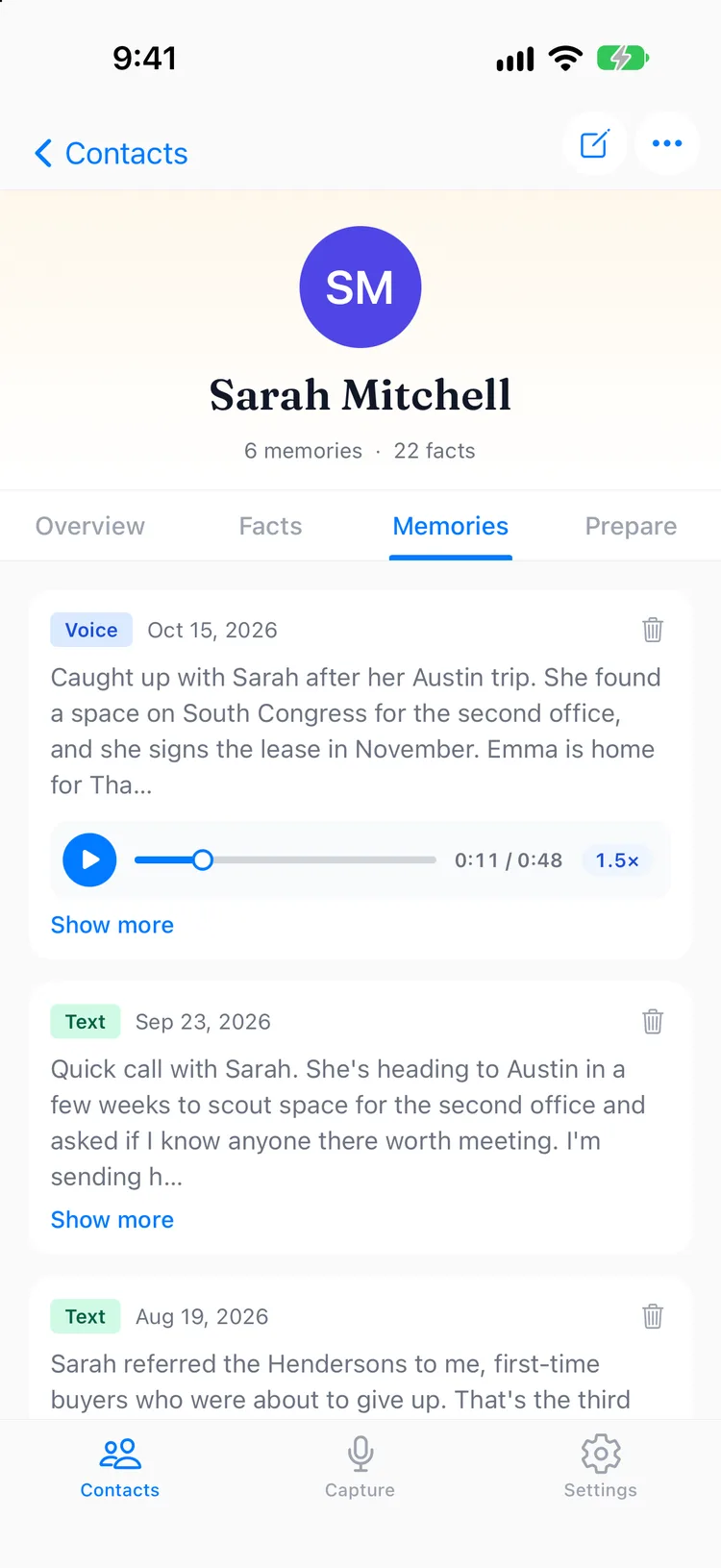
Open a contact and go to the Memories tab. Any note with a stored recording plays right there. You can listen at 1x, 1.25x, 1.5x or 2x, and drag the scrubber to jump to the part you were looking for. A two minute note takes one minute at 2x, which is about how long I have in the car before a follow up call.
Store recordings and a meter that tells the truth
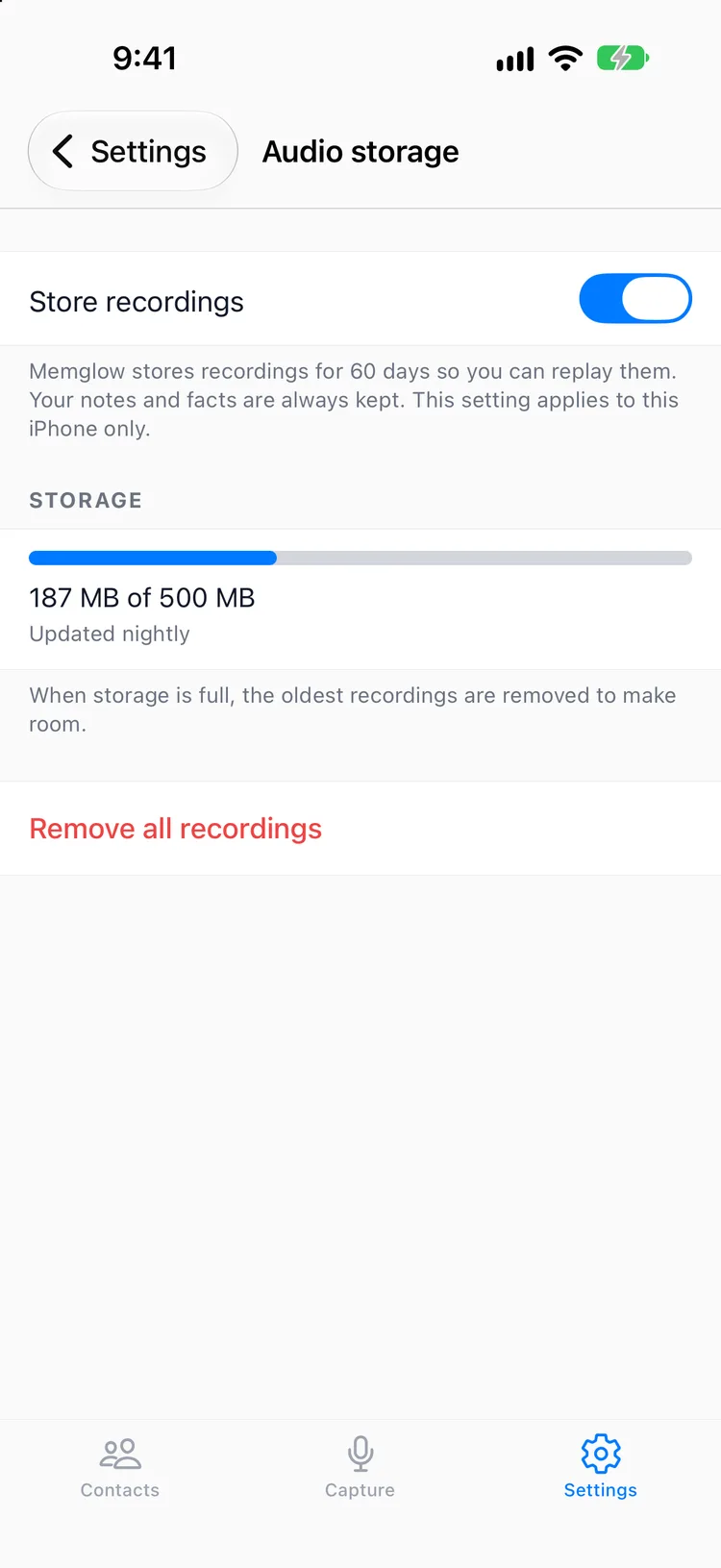
Playback is part of Pro, and it works during the free trial too. To use it, turn on Store recordings in Settings → Audio storage. From then on, each recording is kept for 60 days from the day you made it, up to 500 MB in total. When you reach the limit, the oldest recordings are removed first, so your newest notes are always the ones you can replay.
The Audio storage screen has a meter that shows how much of that space you are using. I wanted it to be boring and exact. You should never have to guess what is on our servers.
One thing to know: the setting is per iPhone. If you record on more than one, turn it on for each.
On Core, nothing changes. Recordings are deleted from our servers after transcription, and the written note is what stays. I wrote about why in Where your words go, and that principle still holds. Storing audio is something you choose, never something that happens to you.
When a plan changes
Plans change. Trials end, budgets get tight, people move to Core. If your plan lapses or changes to Core, your stored recordings are not deleted that day. They are removed after a 30 day grace period. We email you when the grace period starts and again 7 days before it ends, so you have time to listen to anything you want to hear once more.
Your notes, contacts and facts are always kept. Only the audio has a clock on it.
Deleting a note deletes its recording
This one is short on purpose. When you delete a note, its recording is deleted with it. Delete a contact, and the recordings from all of their notes go too. There is no orphaned audio sitting somewhere after the words are gone.
Smaller fixes
Send Feedback in Settings now goes to support@memglow.ai, which is where I actually read it.
The confirmation when you delete a contact is clearer about what you are deleting, and so is the wording around Delete Account. Both are moments when you deserve to know exactly what happens next, before you tap.
Get the update on the App Store, and tell me what you hear: support@memglow.ai. The transcript keeps what you said. Now, for a while, you can hear how you said it.