01
Capture
After talking to someone, tell Memglow about it, by voice or by typing, and it remembers the details for you.
Capture is the raw material for everything else in the app. Facts, summaries, briefs, and nudges are all downstream of what you put in here, and putting something in takes seconds.
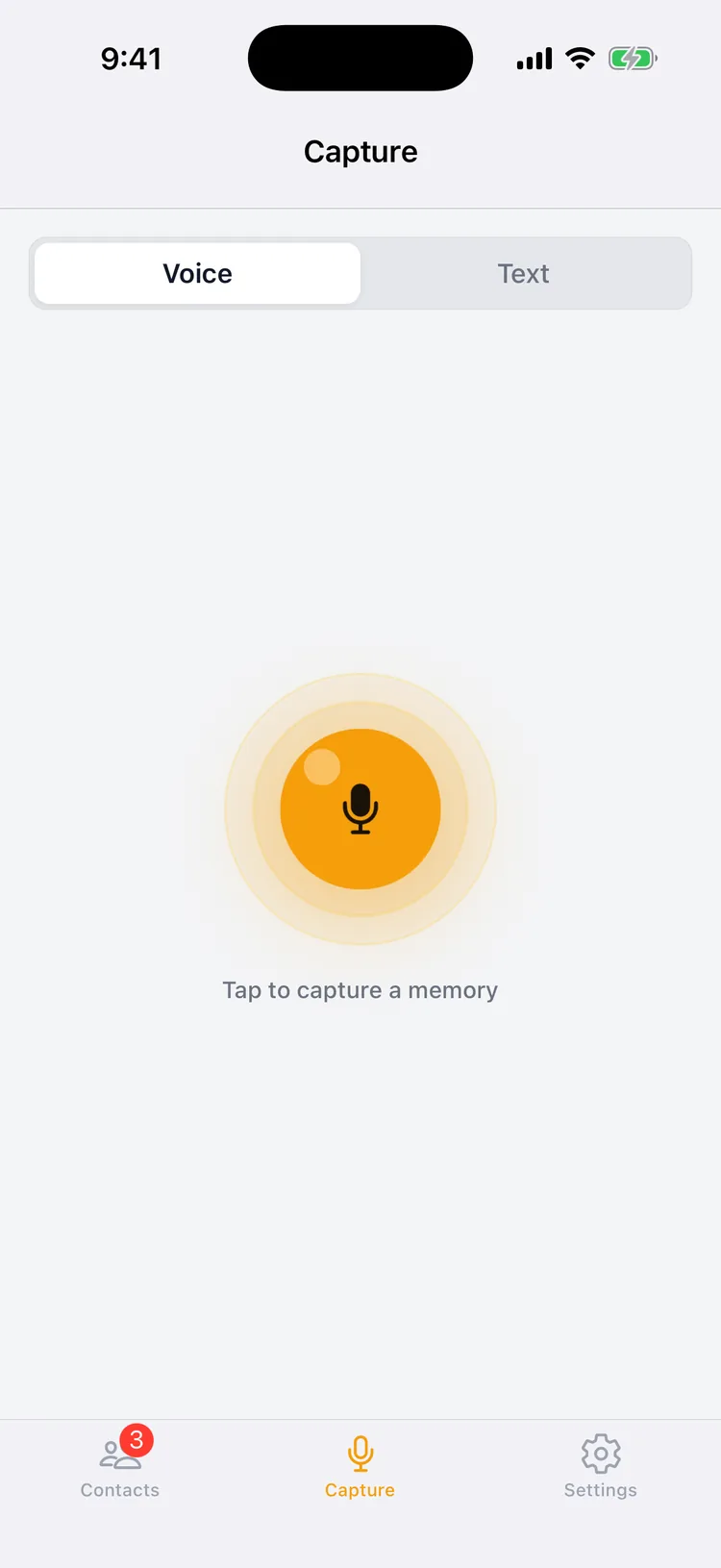
Voice notes
Tap the glowing record button on the Capture tab and talk. When you stop, Memglow transcribes your words automatically and hands them straight to fact extraction. You don't need to be organized. "Met Sarah at the gala, her daughter starts at NYU in the fall, she's training for a half marathon" is a perfectly good note.
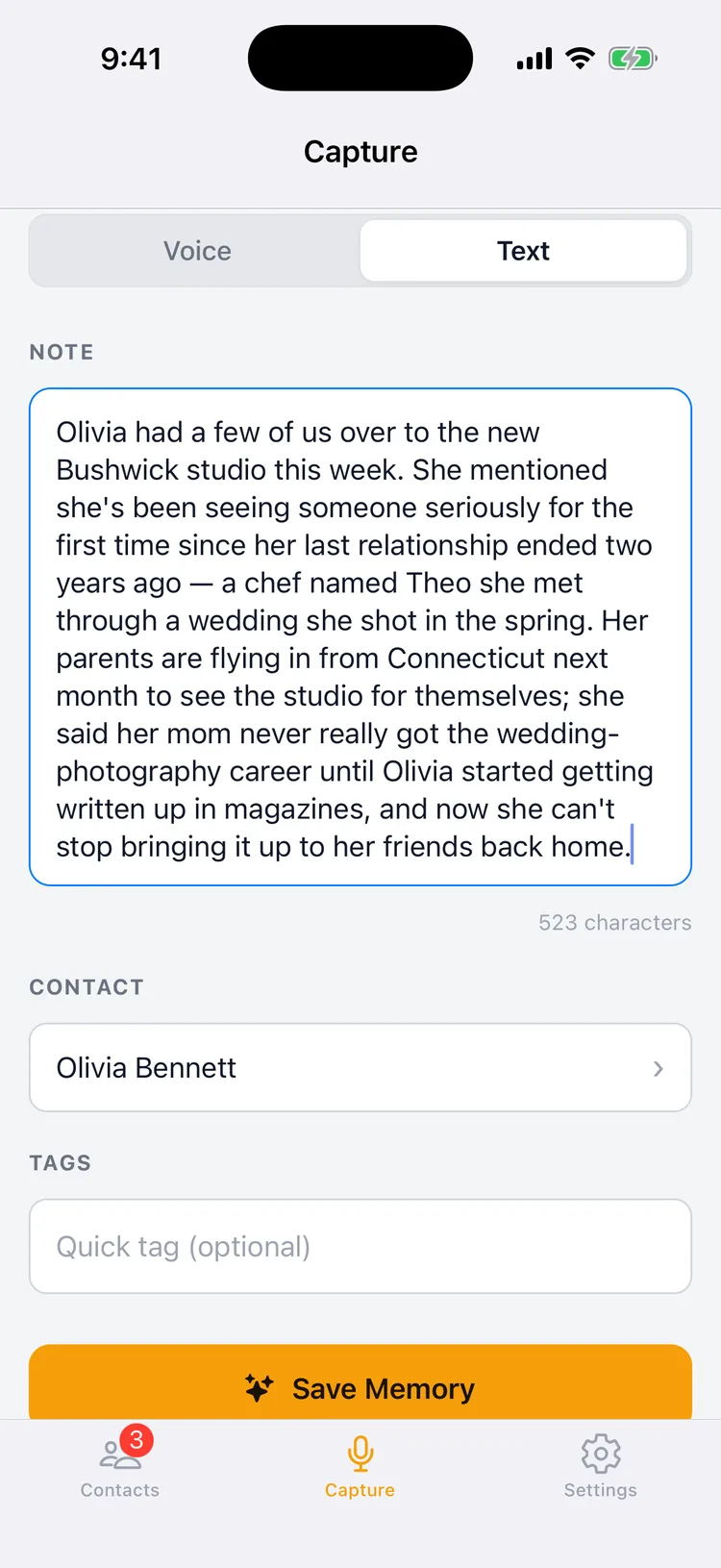
Text notes
Not somewhere you can talk? Flip the toggle to Text and type instead. Text notes go through the same AI extraction as voice notes, and they are unlimited on every plan for normal personal use (see fair use). You can also set your preferred default mode in Settings.
Start from a contact
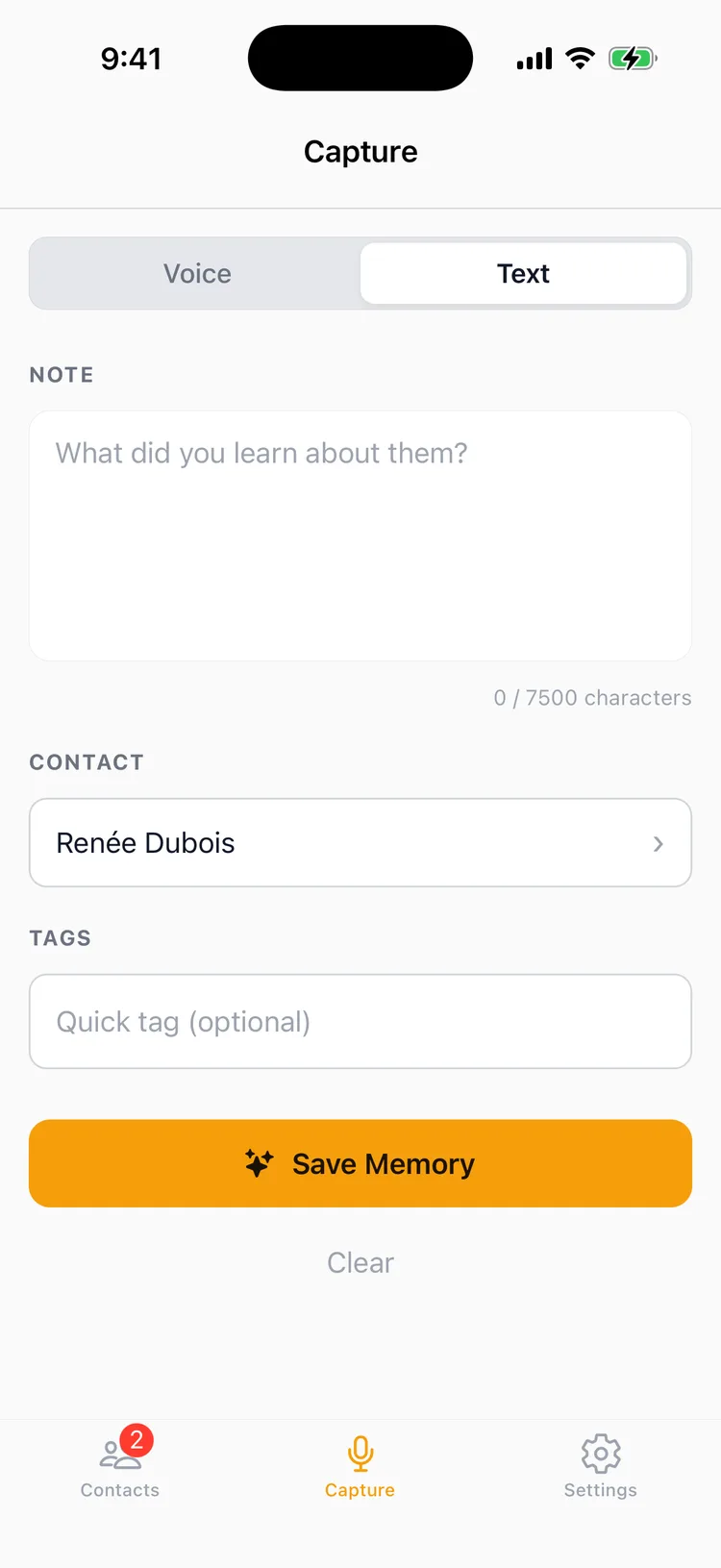
Every contact's header carries an Add Memory icon, reachable from any of their four tabs, not just Overview. Tap it and Capture opens with that person already selected, so you never have to leave what you were reading to go find them again. If you switch tabs mid note or step away entirely, the draft is still there when you come back.
02
Extraction & review
Memglow automatically pulls the key details out of what you say or type, so you don't have to organize anything yourself.
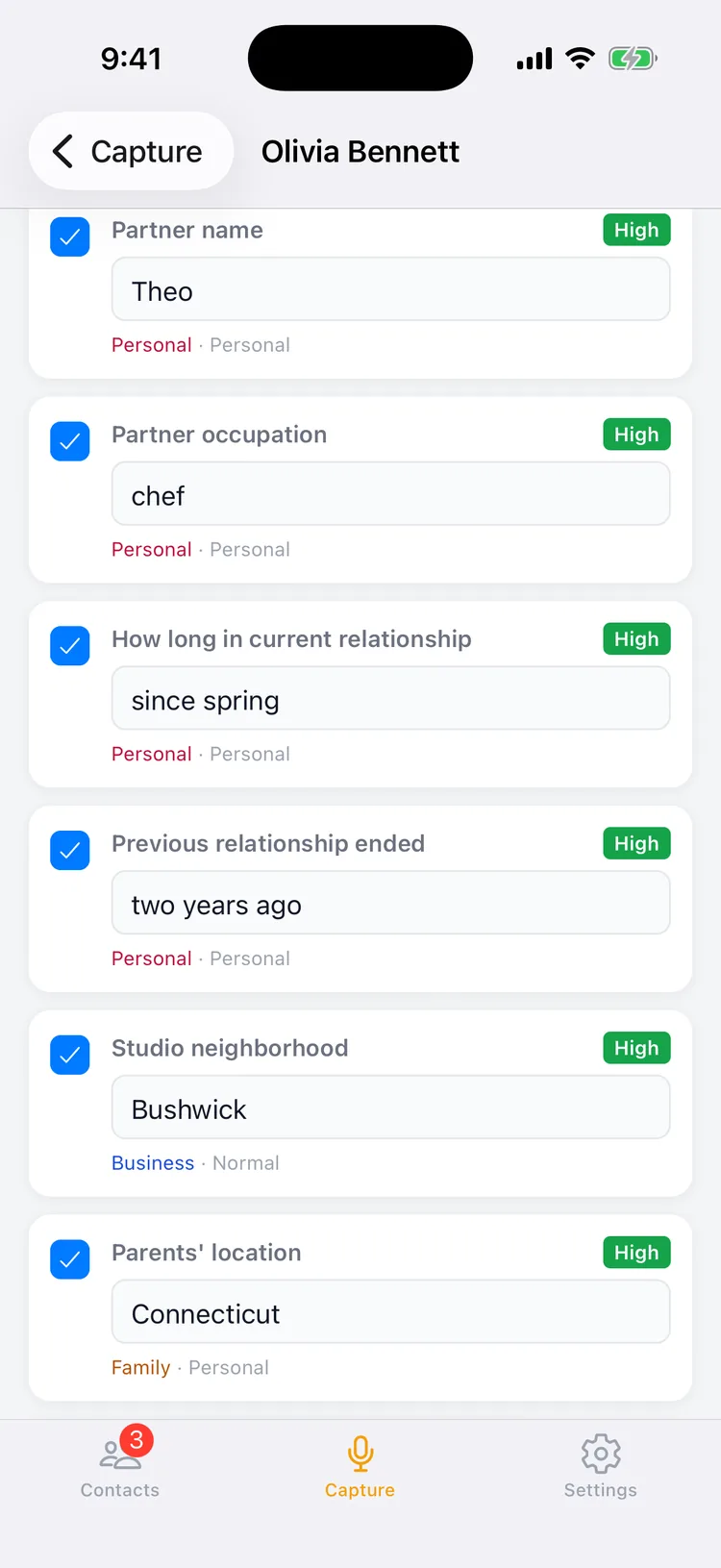
This is the step that turns a sentence into data. Every voice or text note runs through Memglow's AI, which identifies each fact worth keeping and files it under the right category.
- Confidence scores. Every extracted fact carries a High, Medium, or Low badge, so you always know what was stated outright versus inferred.
- Review before saving. You see the full list of extracted facts and can edit values, uncheck anything wrong, or fix a category before it's stored.
- Sensitive facts flagged. Details about health, relationships, and other private topics are automatically marked private, so you can blur their values in the app (more in Privacy & security).
- Retry when needed. If a note didn't extract the way you expected, you can edit the transcript and run extraction again.
03
The contact profile
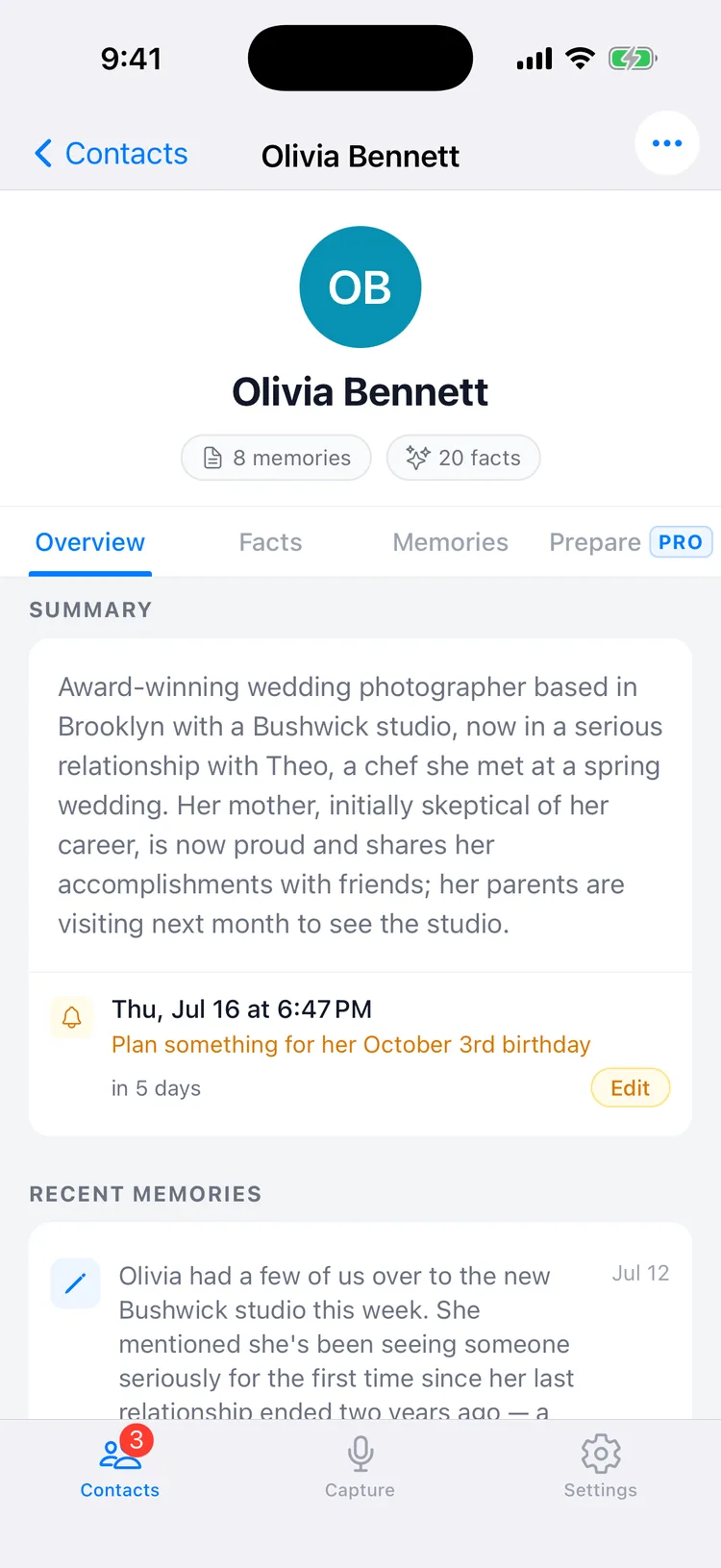
Each contact's profile has an always current summary of who they are and everything you know about them. No scrolling through old notes.
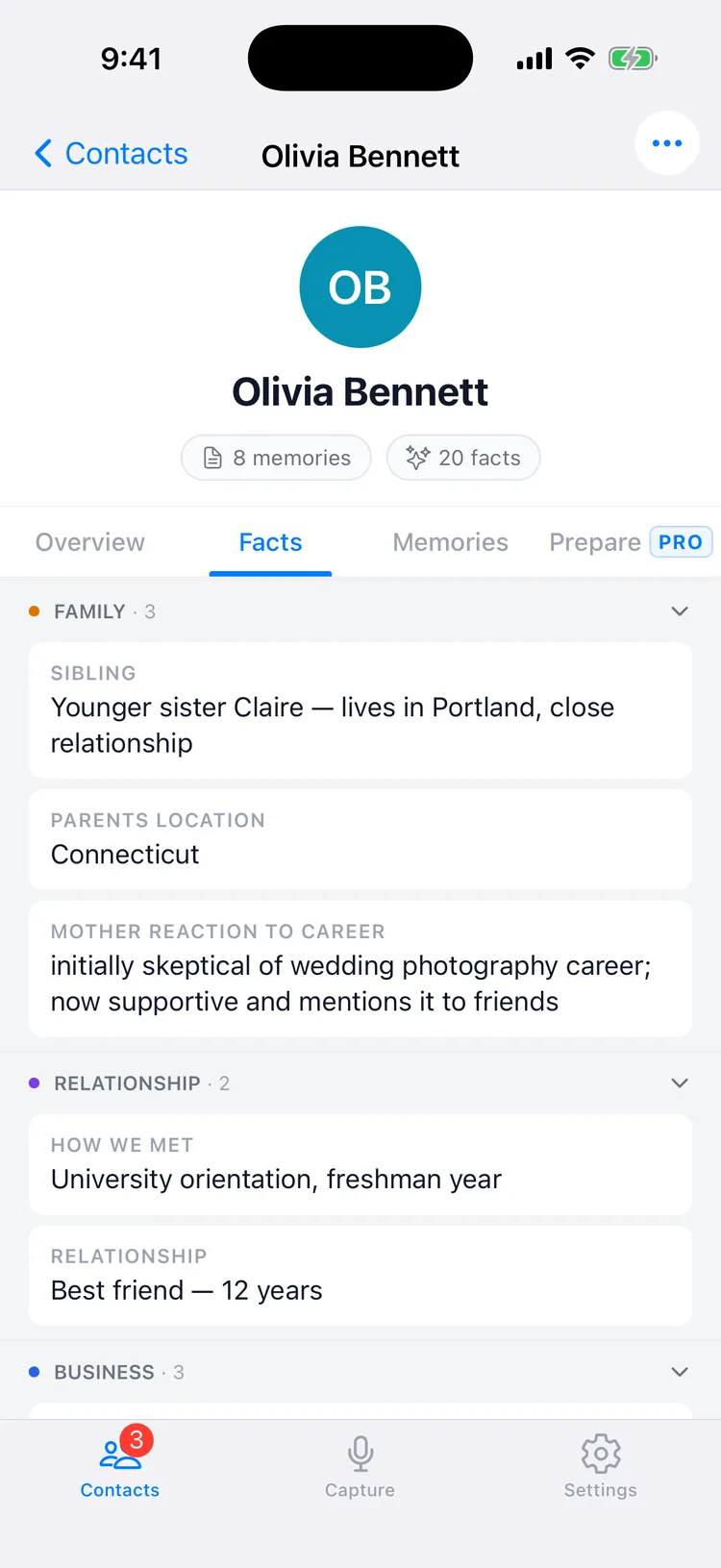
Every person you capture builds a living profile with four tabs:
- Overview. A summary of the relationship written by AI, regenerated whenever something new is captured, plus recent memories and any upcoming reminder. Think of it as a standing portrait, repainted only when something actually changes.
- Facts. Every confirmed detail, grouped by category, with the most important ones spotlighted.
- Memories. The full timeline of your original notes, voice and text, so context is never lost.
- Prepare. Where AI Briefs live (see Preparing to meet).
Contacts and memories are unlimited on every plan. Memglow never charges you for how much you remember.
04
Staying in touch
Three features answer "who should I think about right now?" and each does a genuinely different job.
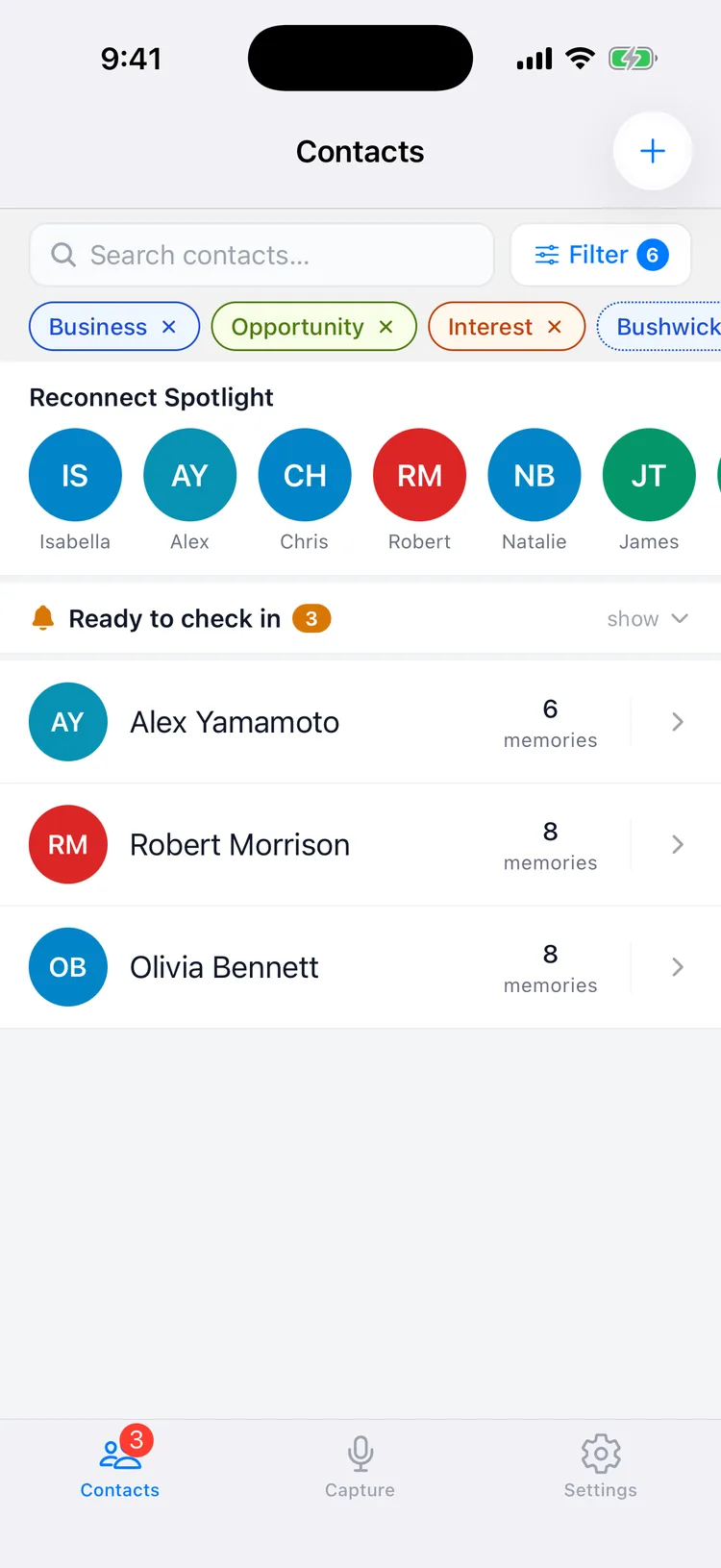
Reconnect Spotlight
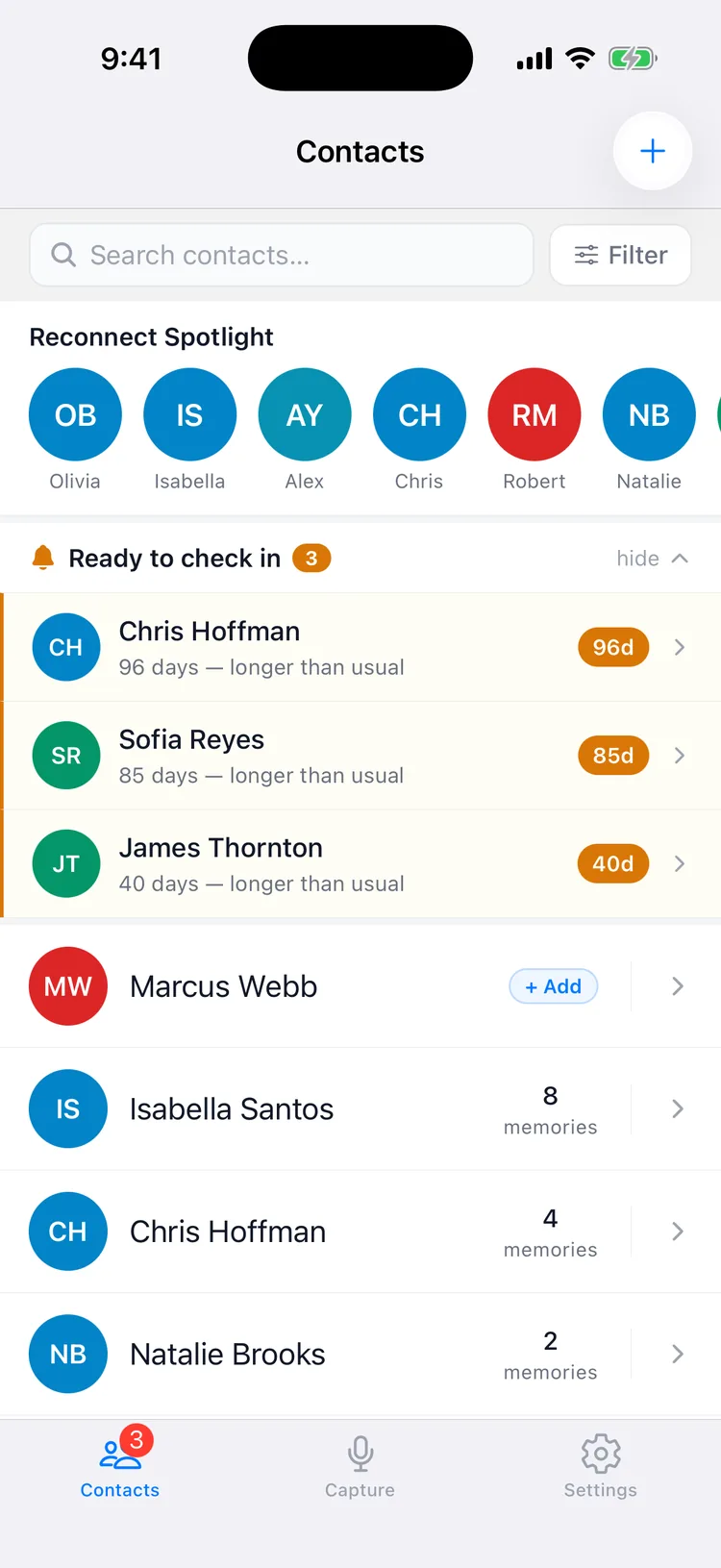
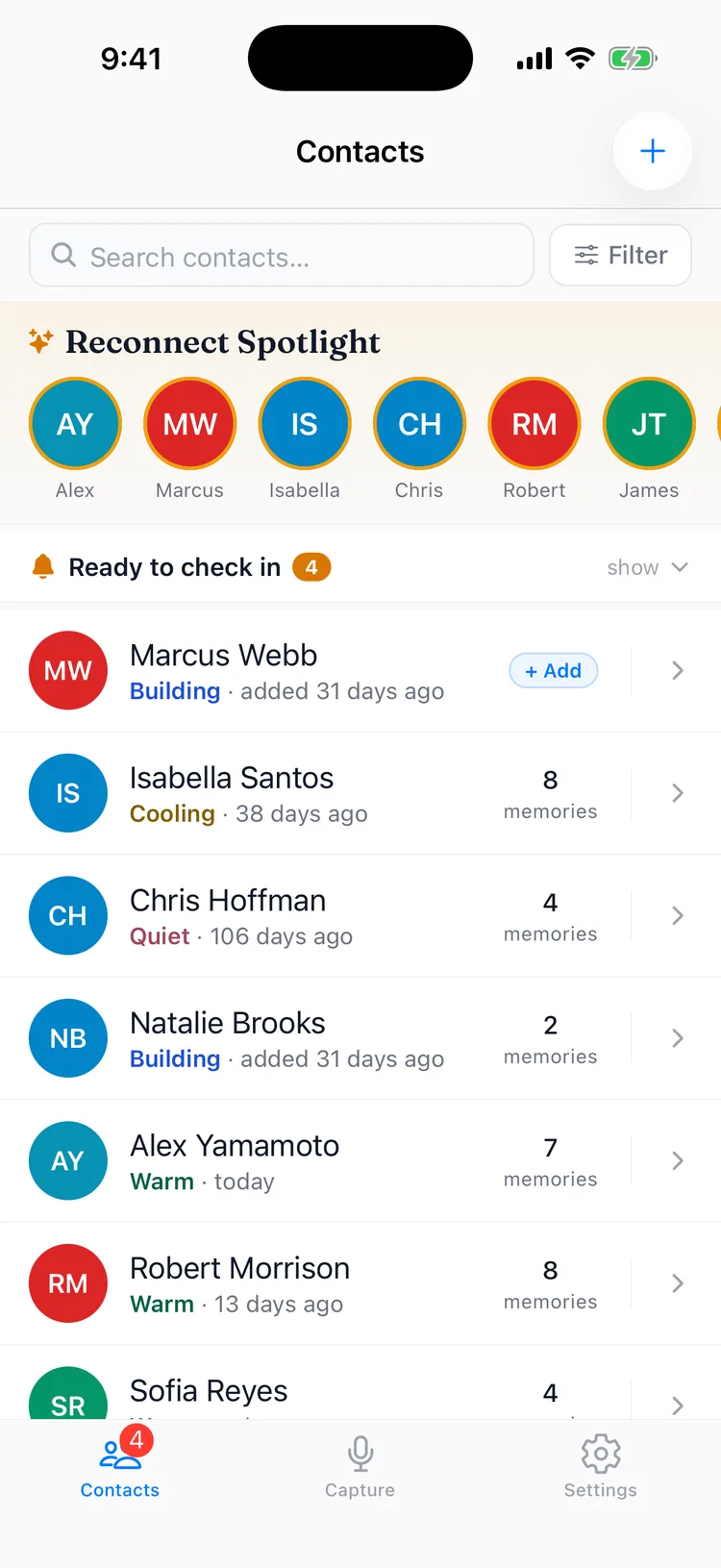
A short, ever changing list of the people most worth reaching out to right now, picked for you. No setup required.
The avatar strip at the top of your Contacts list. It's a ranking, not an alarm: Memglow weighs how long it's been, how strong the relationship is, and what's coming up, then puts your best picks first. Log a new memory for someone and they gracefully drop off the list. Available on every plan.
Ready to check inPRO
You set how often you want to stay in touch with someone, and Memglow lets you know when it's been longer than that.
This one fires only when a line you drew gets crossed. Set a cadence per contact, say every three weeks for a key client. When they go quiet past it, they appear in the amber banner and you get a notification. Snooze it, adjust the cadence, or mute a contact entirely.
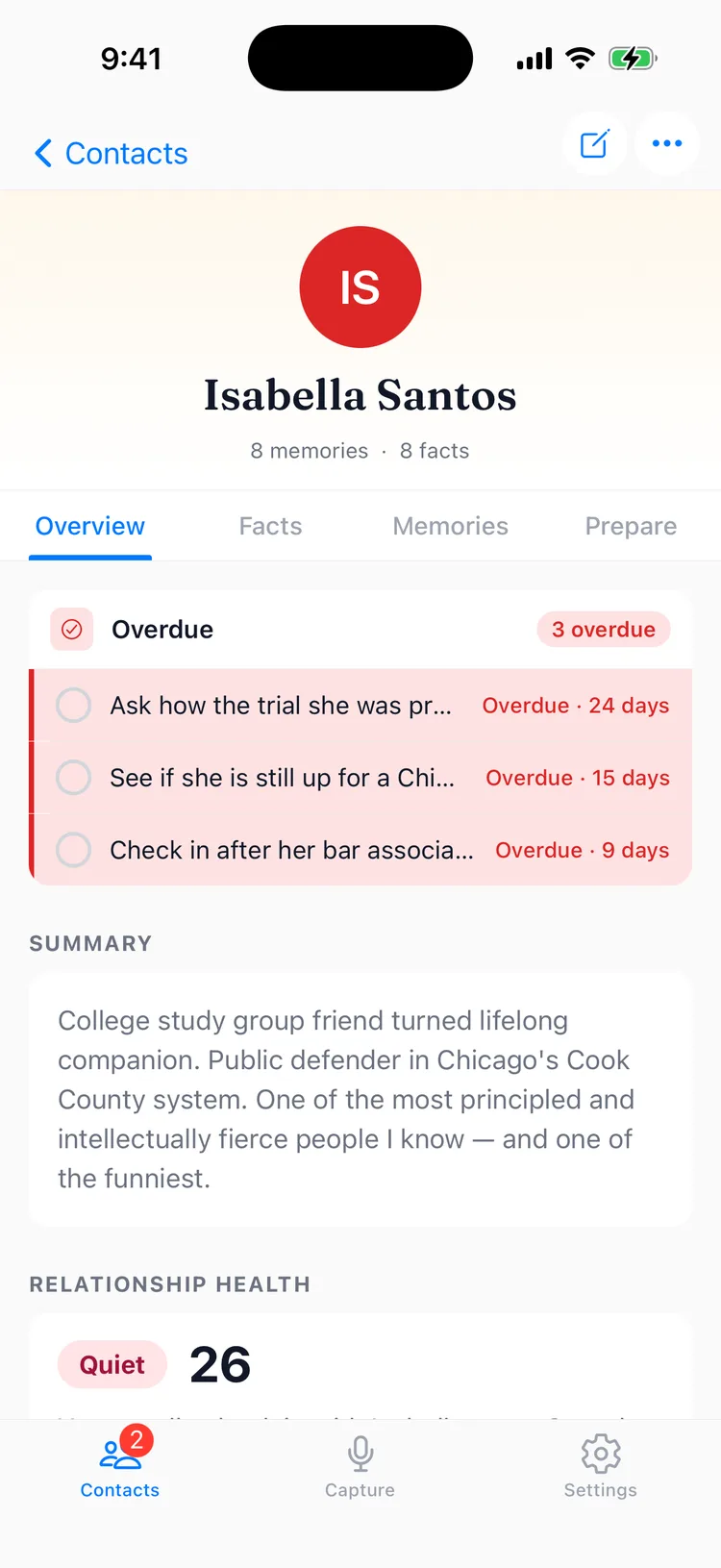
Follow-up reminders
Set a reminder to follow up with someone, and Memglow sends you a notification so it doesn't get forgotten.
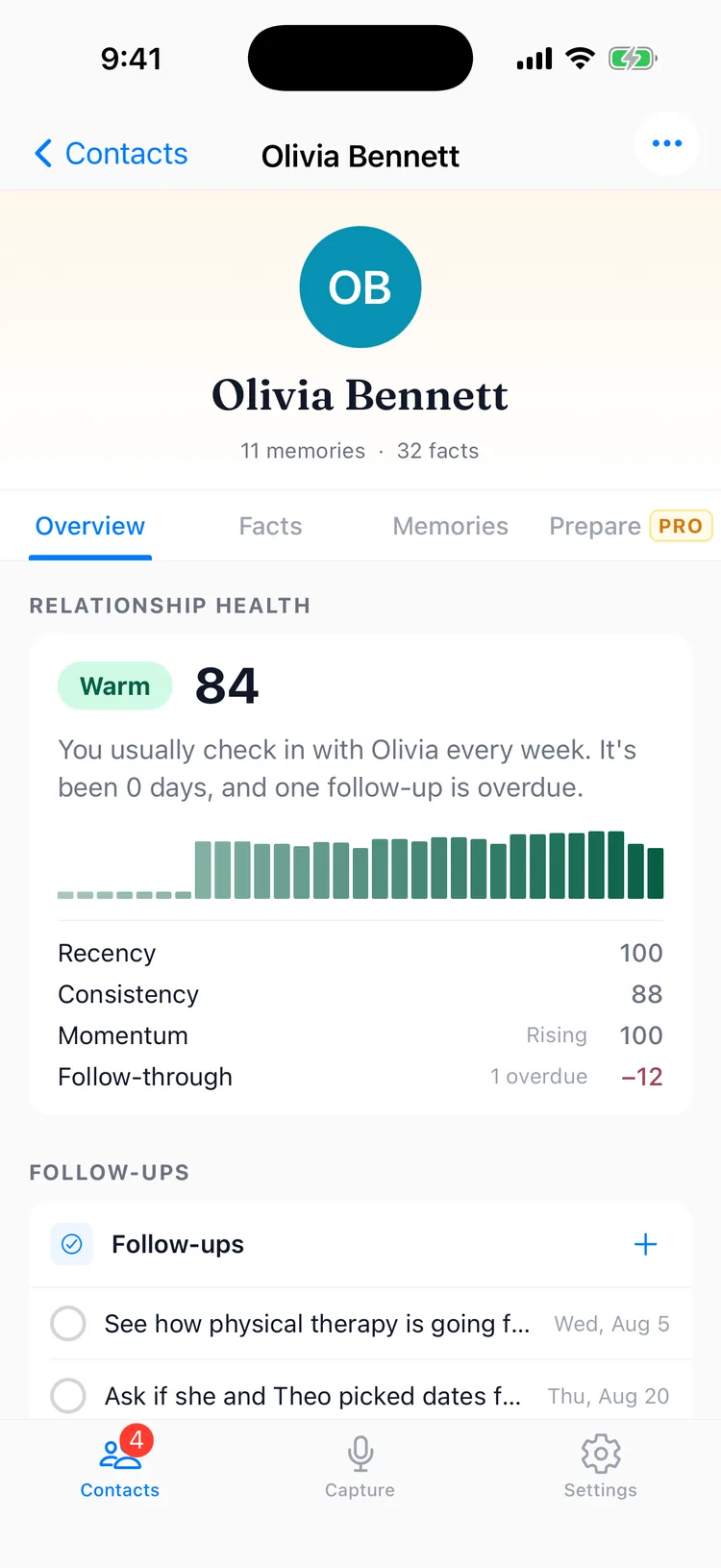
A promise you made to yourself, with the app holding you to it. Pick a date and time on any contact, and it shows on their Overview until it's done. The card labels itself Overdue, Due Soon, or both depending on what's on it, and the count next to that label always covers every open reminder on the contact, even the ones the card doesn't have room to list. Available on every plan.
05
Search & organization
Find a contact, note, or detail fast by typing into the search bar, or filter your whole network by category, tag, and relationship health.
That detail someone mentioned months ago, like their daughter's school or the deal they were chasing, is one search away. Full text search covers every contact and fact, on every plan.
Filters that stack
Combine a search query with tag and category filters, and choose whether results must match any or all of them. Chasing "everyone tagged Business in Chicago" takes two taps.
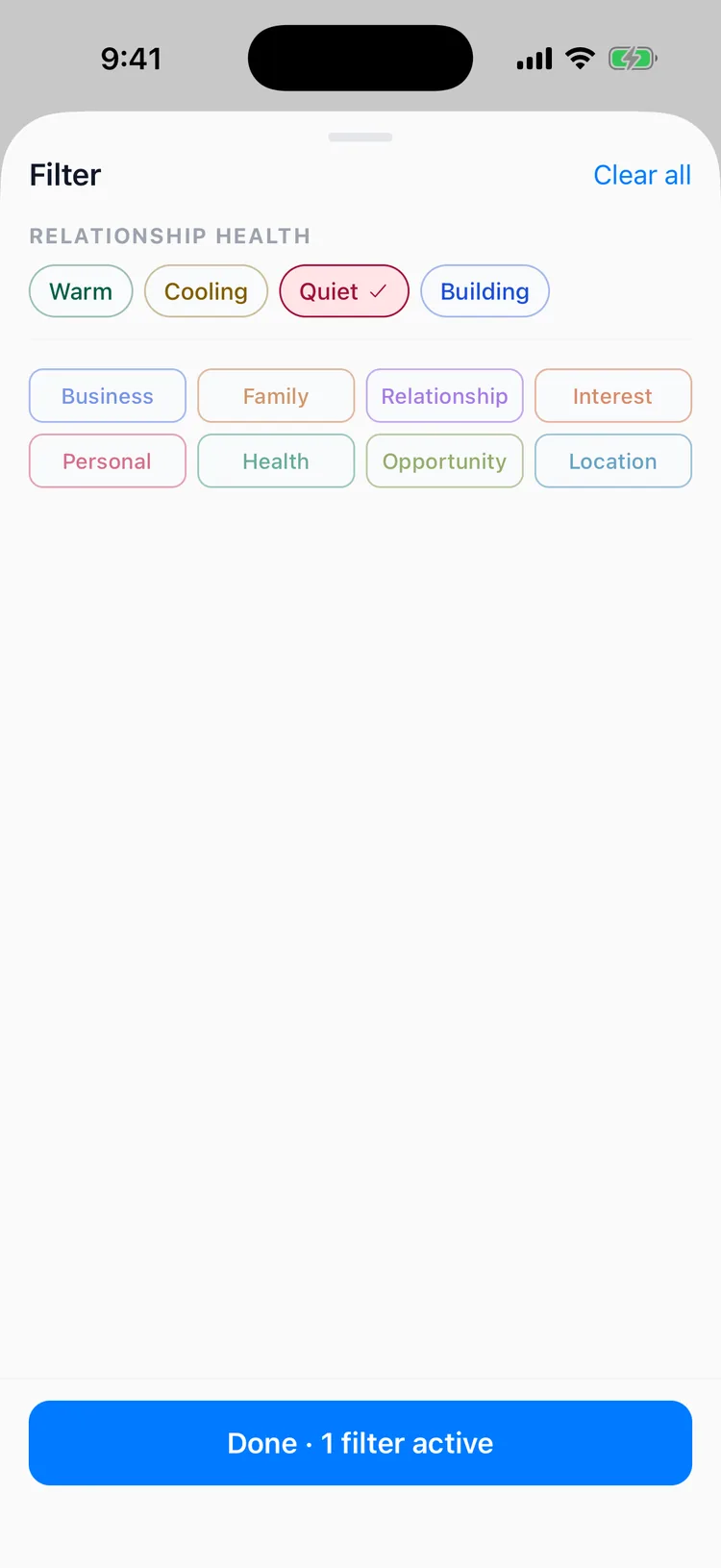
Filter by relationship health
The same filter sheet lets you pull up everyone in a health band. Tap Quiet to see just the relationships that have drifted, or Cooling to catch the ones on their way there, and stack it with a category to focus in. It turns "who have I been neglecting in Business?" into a two tap answer. More on the bands themselves in Relationship health.
Nine fact categories
Every fact files itself under one of nine categories: Personal, Family, Business, Interest, Opportunity, Health, Relationship, Location, and General. Think of it as the shelving system: fixed shelves, unlimited things on them. You can reorder how categories display in Settings so the ones you care about most always come first.
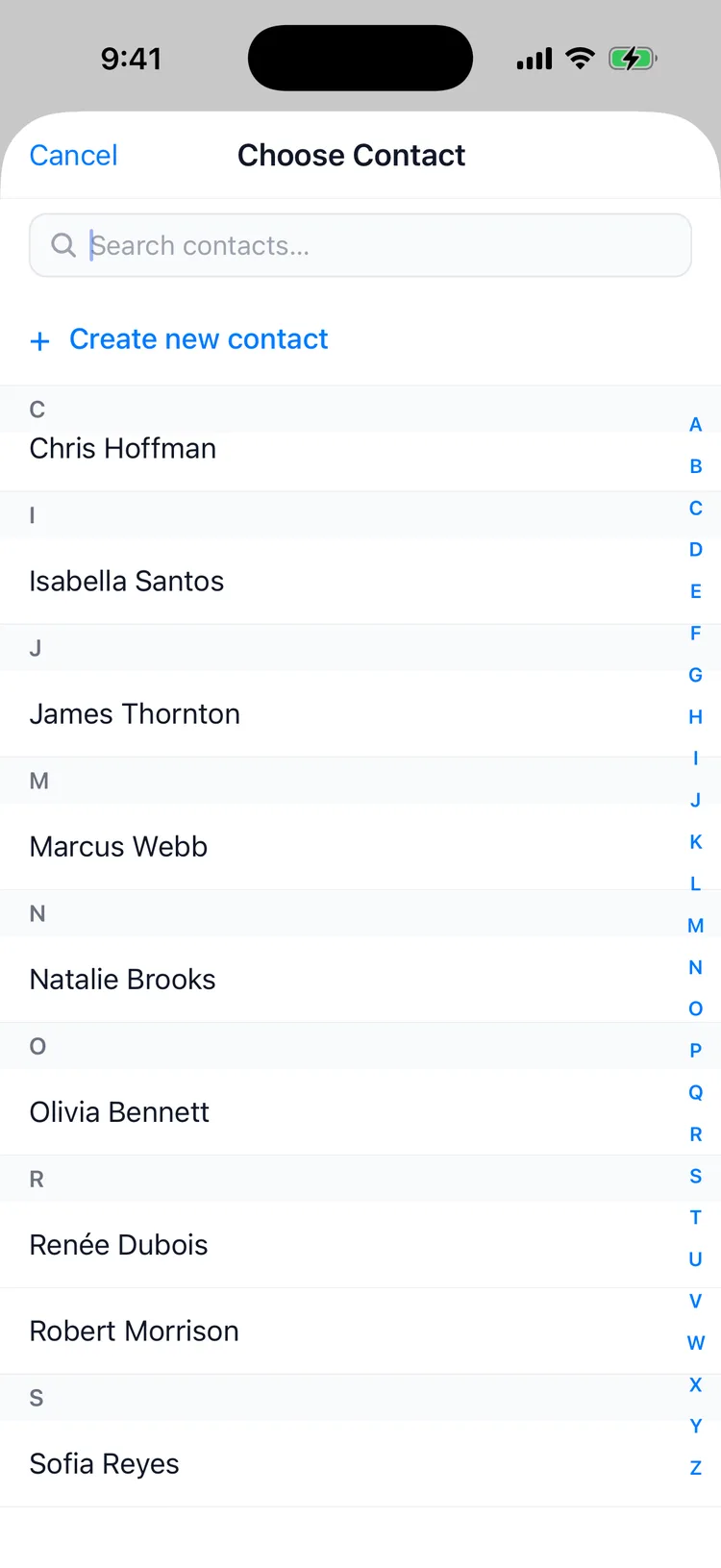
Picking a contact while you capture
Linking a memory to someone opens the same fast path: a search field up top and an A to Z rail down the side, so you can type or jump straight to a letter. Search matches on part of a name, so "johnso" finds Johnson before you finish typing, and it ignores accents, so "renee" finds Renée.
06
Preparing to meetPRO
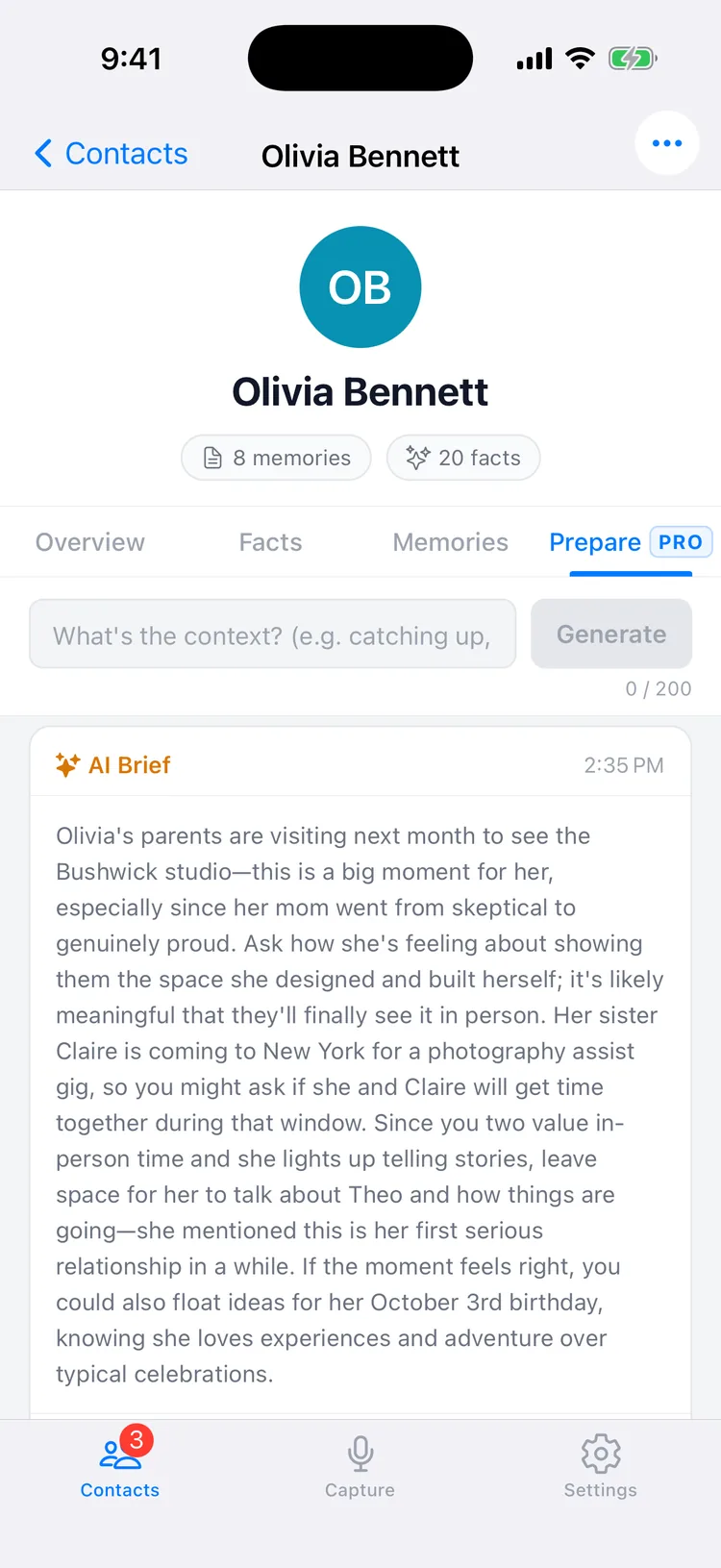
About to meet someone? Tap Prepare and get a quick refresher on everything you know about them, right before you walk in.
The Prepare tab on any contact writes you an AI Brief: who they are, what's changed since you last talked, and what's worth asking about. Add a line of context, like "catching up over coffee" or "quarterly review", and the brief shapes itself to the moment.
Every line traces back to something you actually captured. If the brief mentions her parents visiting next month, it's because you said so after your last conversation. It's the kind of prep a chief of staff would hand you, except it's built from your own memory.
Briefs are a Pro feature, capped at a generous daily allowance so it's there whenever a real meeting is.
07
Relationship health
A simple read on how each relationship is doing, based on how recently and how regularly you stay in touch.
Every contact carries a health band right on your Contacts list: one word and one color, so the state of your whole network is legible in a single scroll. There are four bands. Warm is a good rhythm, Cooling means it's been a little longer than usual, Quiet means it's genuinely drifted, and Building is a new contact without enough history to call yet.
The read is personal to each relationship, judged against the pace that's normal for the two of you rather than one universal standard. It runs on Memglow's own proprietary algorithm, computed purely from the timing of your notes and follow ups: it never reads the content of what you captured; it reads the rhythm between you, nothing more.
Open a contact and the Overview explains the band in a plain sentence, like "You usually check in with Sarah every 30 days. It's been 41 days." What you see beyond that sentence depends on your plan.
08
Relationship digest
A regular recap of your time in Memglow: what you captured, who cooled off, and who to reach out to next.
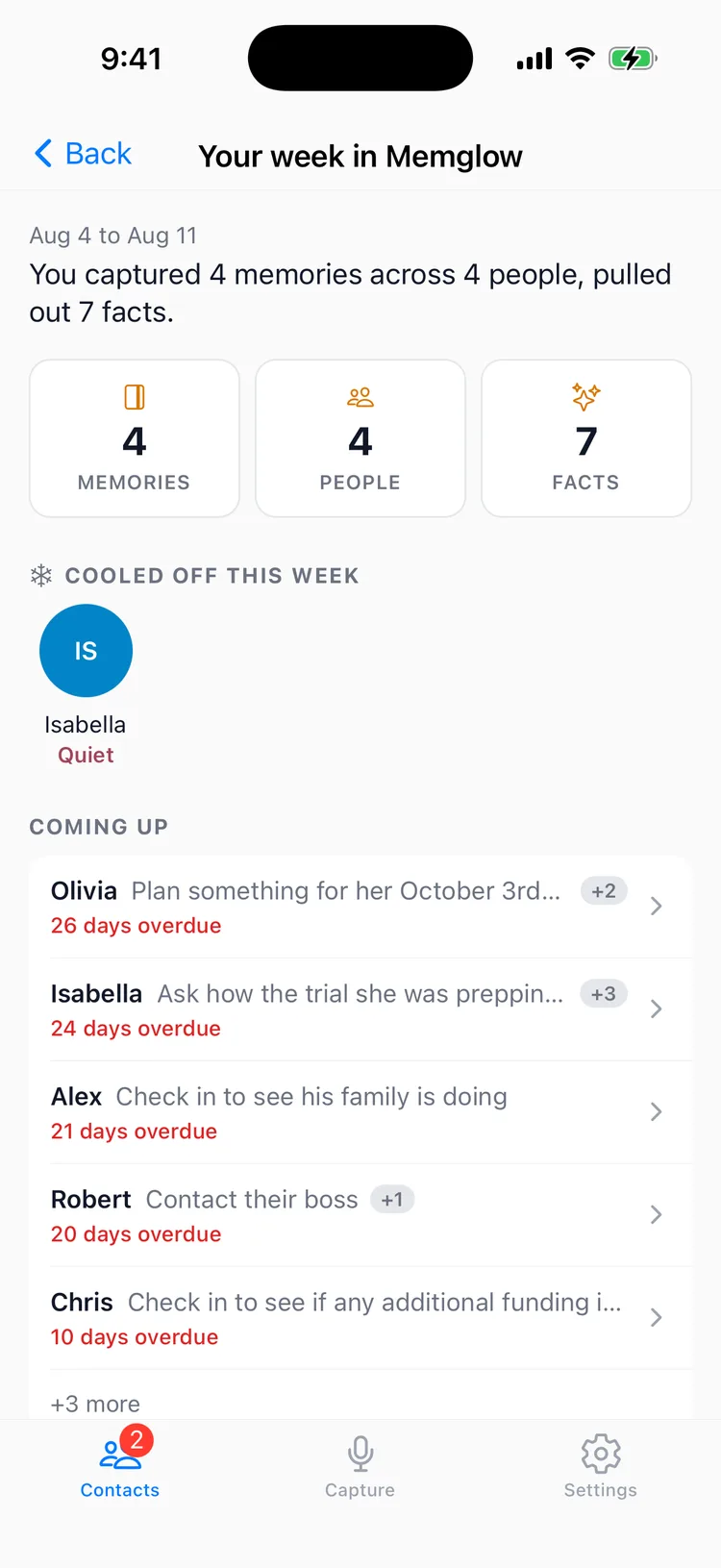
The digest is the one place in the app that looks backward. It opens with a recap of the period, the memories you captured, the people they were about, the facts pulled out, and your current streak. Below that, a Cooled off rail shows the people whose health slipped a band since last time, so a drifting relationship never goes unnoticed.
On Pro, it also looks forward. The Coming up section names each person's actual next follow up and the date it's due, not just that one exists, and closes with a count of how many more people are waiting beyond what fits on screen.
You can read it in the app any time, always one tap from Settings. Turn on the optional email version to have the same recap delivered on schedule, and its "Open in Memglow" link drops you straight on this screen. The in app and email copies are independent, so you can keep one and skip the other.
09
Voice playbackPRO
Hear a voice note again, in your own words, for up to 60 days after you record it.
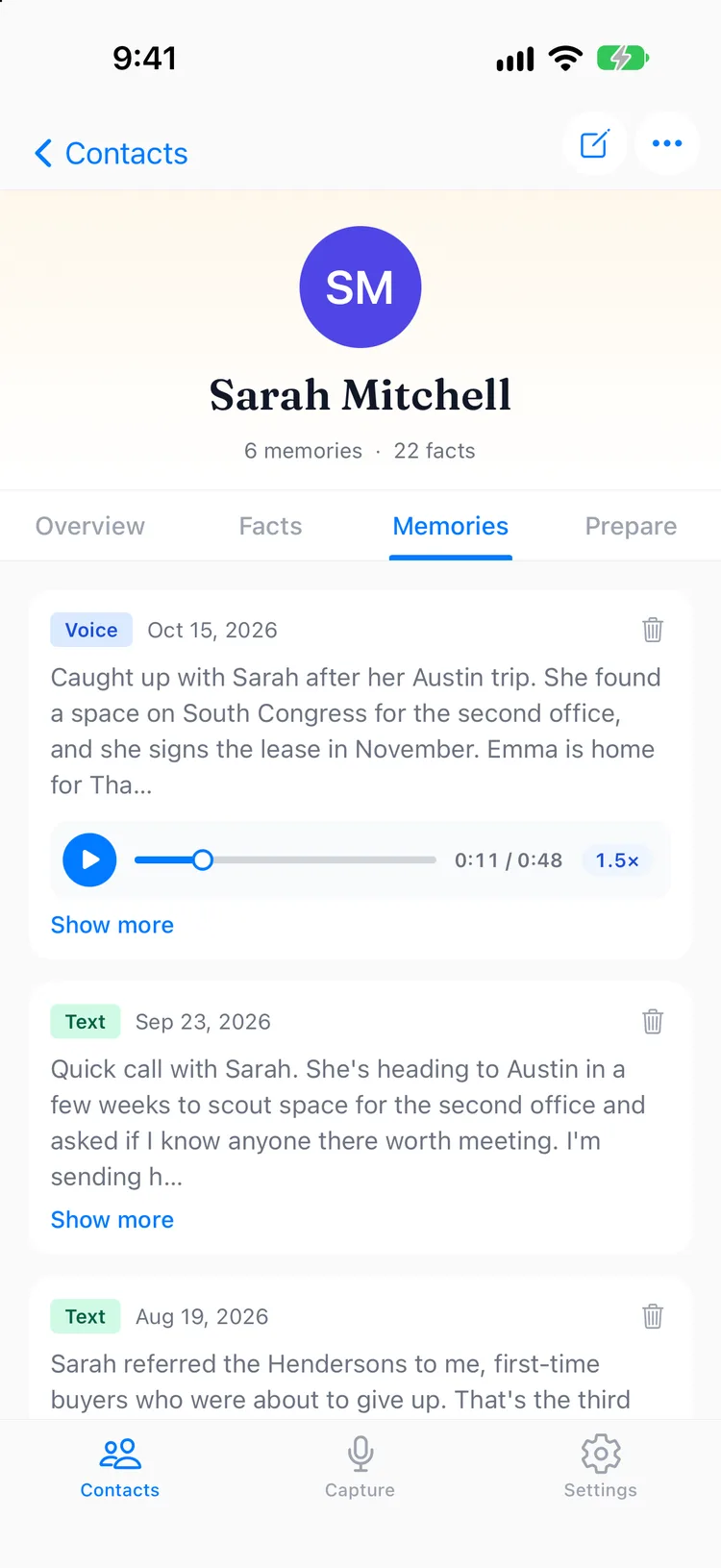
Recordings you store can be replayed from the Memories tab. Play at 1x, 1.25x, 1.5x or 2x, and drag the scrubber to jump to the part you want.
Store recordings
Playback works on Pro and during the free trial, with Store recordings turned on in Settings → Audio storage. Each recording is kept for 60 days from the day you made it, up to 500 MB in total. When storage is full, the oldest recordings are removed first. The setting is per iPhone, so turn it on for each device you record on.
- Deleting a note or contact. Deleting a note deletes its recording too, and deleting a contact deletes the recordings from all of their notes.
- When a plan changes. If your plan lapses or changes to Core, stored recordings are removed after a 30 day grace period. We email you when it starts and again 7 days before it ends.
- Your notes stay. Notes, contacts and facts are always kept, whatever happens to the audio.
10
Privacy & security
What you tell Memglow about people is sensitive by nature, so the app treats all of it that way.
- Sensitive fact blur. With Blur Sensitive Facts on, the values of facts flagged private (health, relationships, anything personal) show as dots on a contact's profile until you tap to reveal them. So do that contact's summary and AI Briefs.
- Face ID / Touch ID lock. Put the entire app behind biometrics from Settings → Security.
- Audio handling. On Core, voice recordings are deleted from our servers after transcription; the written note is what's kept. On Pro, you can turn on Store recordings to keep them for 60 days.
- Your data is yours. No sharing, no social graph, no data sold, encrypted in transit and at rest. Deleting your account removes everything, permanently.
The full details live in our Privacy Policy.
11
Plans
Core remembers everything you capture. Pro puts that memory to work before meetings and between them.
Core ($6.99/mo) is the capture and recall layer: voice and text notes, AI extraction, summaries, search, Reconnect Spotlight, follow up reminders, a relationship health band on every contact, and a monthly digest. Pro ($13.99/mo) adds the intelligence layer: AI Briefs, "Ready to check in" nudges, the full relationship health score with a 90 day trend, a weekly digest, five minute voice notes with no monthly cap, and stored recordings you can replay.
Every new account starts with a 14 day free trial of full Pro access. See the complete breakdown on the pricing page.