Think of someone you talked to this week. Just one person: the client who mentioned a move, the neighbor whose son started college, the friend who sounded tired on the phone. You can probably still name a detail or two. In a month, you may not.
Memglow 1.7.0 starts with that person. You can bring in the people you choose from iPhone Contacts, talk about a real person in your first session, and try a few captures before your full feature free trial starts. Briefs got more careful too, and Blur Sensitive Facts now reaches the contact summary and Briefs.
Bring in the people you choose
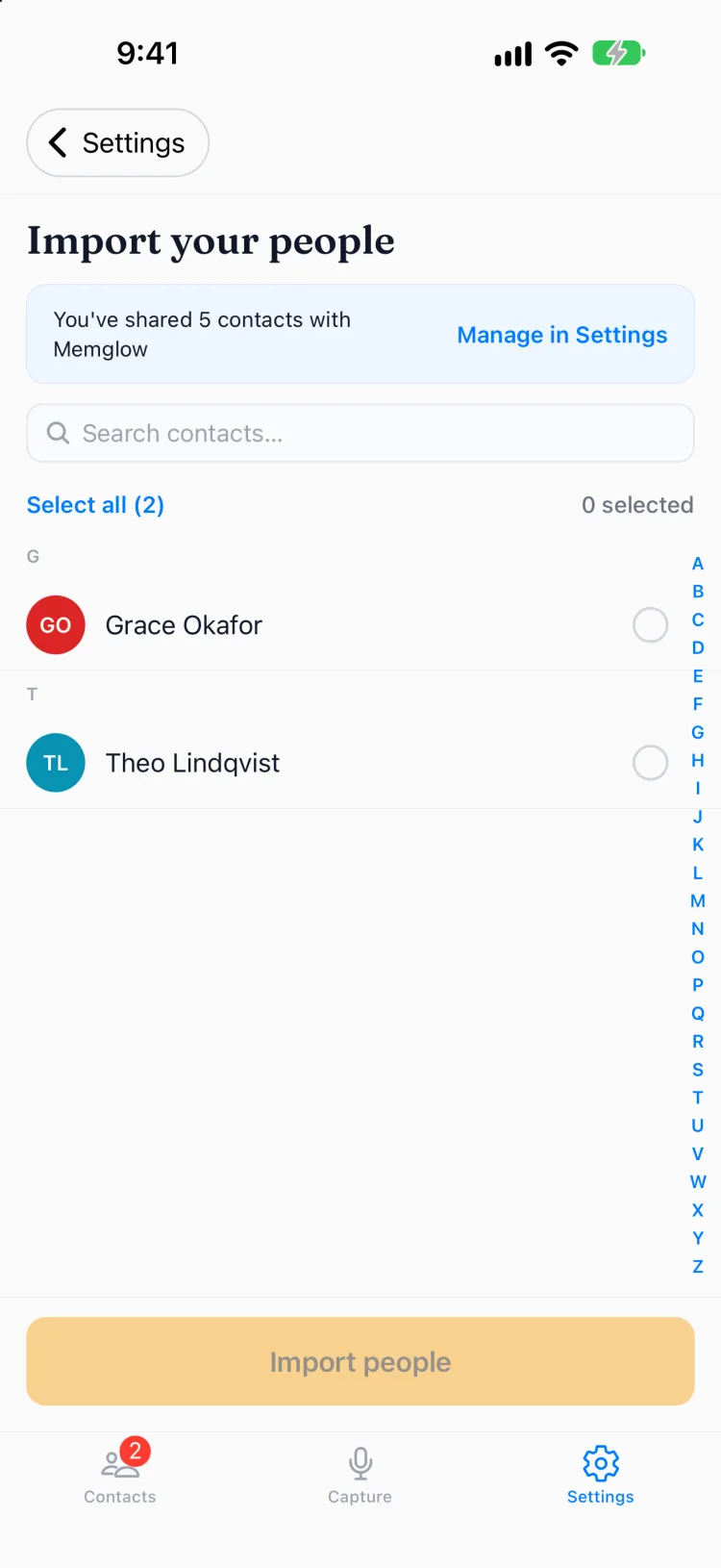
Memglow can now import from iPhone Contacts. You pick the people, and each one arrives with their name, photo, company, job title and birthday, whichever of those your phone has. Memglow saves only the people you pick, and it never changes your Contacts.
New accounts do this during onboarding. If you already use Memglow, go to Settings → Contacts → Sync new contacts.
If you gave Memglow limited access, it can only see the people you shared. To add more, tap Manage in Settings. That opens Memglow's page in iOS Settings, where you can share more people, and they are ready to import when you come back.
Twenty seconds about a real person
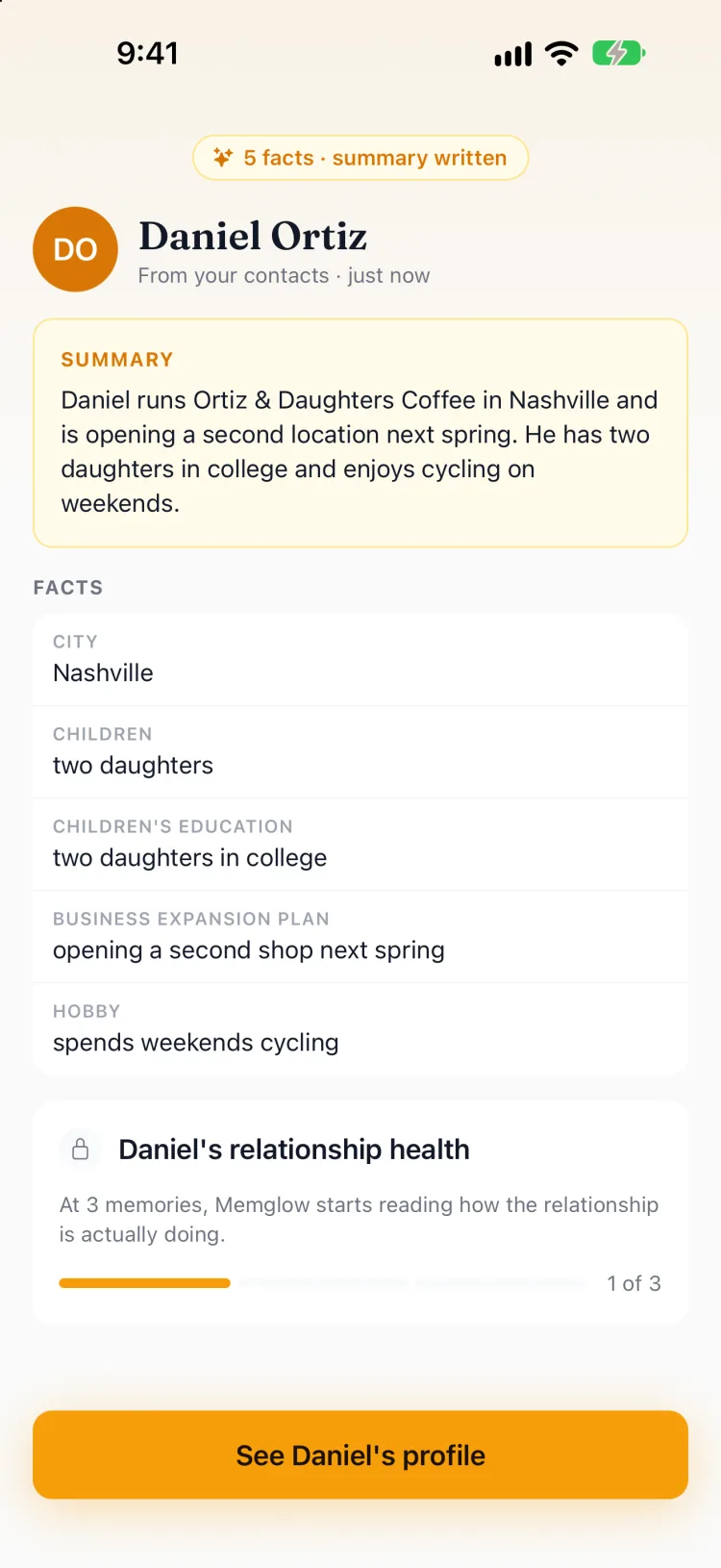
The new onboarding opens with a real question: who do you want to remember better? Pick someone, then talk about them for about twenty seconds. A client, a neighbor, the friend you keep meaning to call. Memglow shows you every fact it found and a summary of who they are.
I wanted that to be your first moment in the app. Your own words about a person you care about, handed back in a form you can use. You can type instead of talking, and you can skip ahead if you would rather look around first.
See it work before you pay
A new account now gets a few free captures before your full feature free trial starts. When you reach the end of them, you pick a plan to start the trial, and anything you typed stays right where you left it, so you do not lose the note you were in the middle of.
A checklist on your Contacts list keeps you moving: import your people, capture your first memory, see the facts Memglow found. When your trial starts, it grows. Generate a Brief before your next meeting, set a follow up, capture memories for three different people. Whatever you already finished stays checked. If you would rather not see it, close it, and you can bring it back from Settings.
Briefs that stay closer to what you saved
A Brief is only useful if you can trust it walking into a room. I made two changes with that in mind.
First, a Brief is now instructed to use only the memories and facts you have saved, and to leave out guesses about someone's personality. That keeps it closer to what you actually told Memglow.
Second, Briefs now work from your saved version of a note. If you change a voice note's transcript before saving, a new Brief reads what you kept, not what was first transcribed.
Briefs are part of Pro, and they work during the free trial too.
When a recording has nothing in it
A recording of silence could once come back as a sentence nobody said, which is a strange thing for a memory app to do. Now, when a recording is silent or Memglow hears no speech in it, you see No speech detected, nothing is saved, and you can record again.
Background noise is harder, because it can still come back as words. When a transcript looks unreliable, Memglow tells you before you save: We may have misheard this. Check it before you save.
Blur now reaches the summary and Briefs
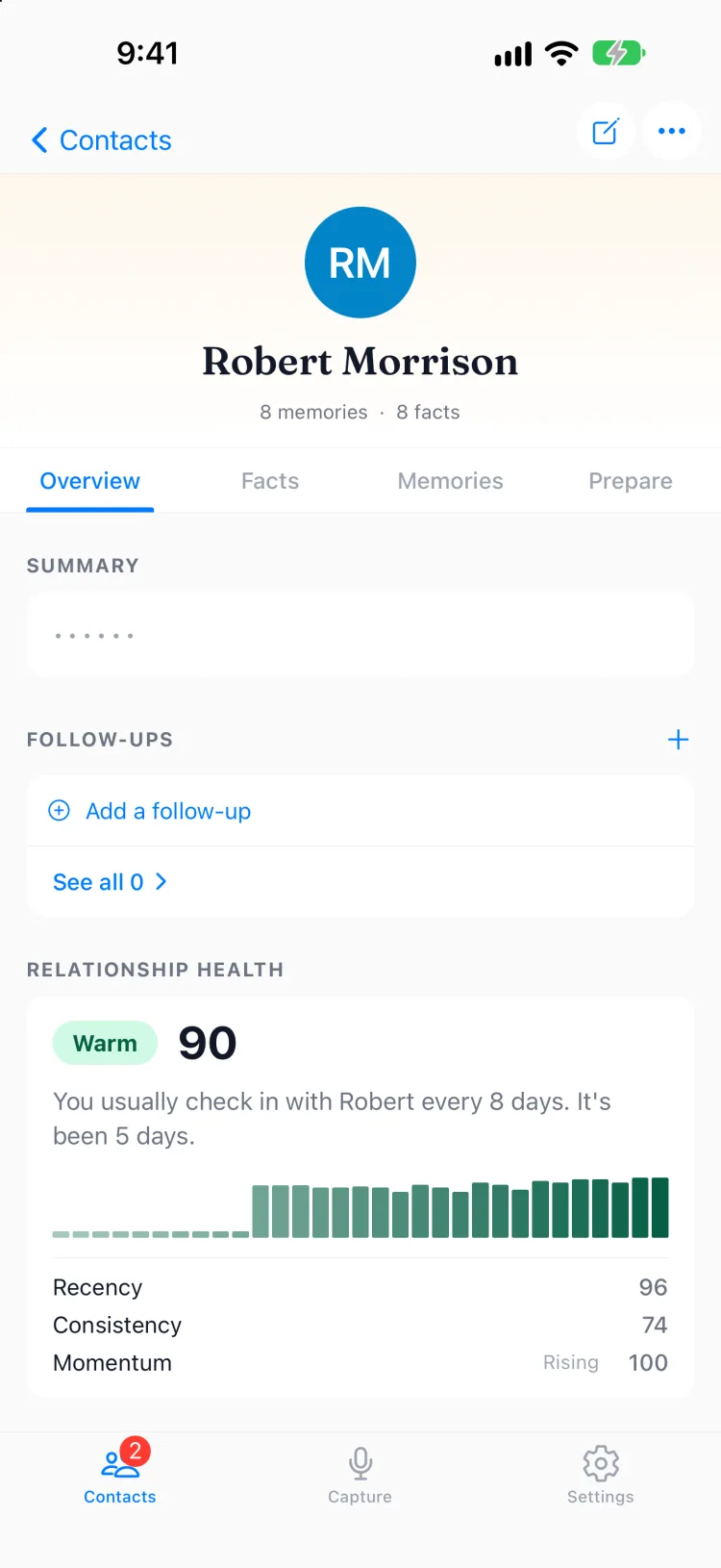
Blur Sensitive Facts hides sensitive facts behind dots until you tap them. In 1.7.0, when a contact has a sensitive fact, their contact summary and their Briefs are blurred the same way, because both are written from those facts and could repeat them. Turn it on in Settings → Privacy.
Updated Privacy Policy and Terms
I updated the Privacy Policy and Terms, effective November 3, 2026. They cover what Memglow saves when you import from Contacts, how long we keep things, and fair use. From now on, when either one changes, you will see a short notice in the app, one time, with what changed and links to read the full text.
Smaller fixes
Sign in is smoother. The slide from the email screen to the code screen could freeze partway and then snap into place. It no longer does. This release also includes security fixes.
Get the update on the App Store, and tell me how your first twenty seconds went: support@memglow.ai. Then start with that person from this week. Twenty seconds now, and the details are still there next month.